Prepare monthly finance exports
Use this workflow when finance needs a month-end handoff from KORONA Event.
Before you start
Confirm the reporting period, accounting basis, currency, payment providers, and POS locations. KORONA Event does not provide a direct accounting-system export (for example DATEV); the handoff is built from report exports and invoice documents.
You need permission to view orders, invoices, reports, and exports.
Set the reporting range
Use the same date range across each source. Decide whether the period should be based on order date, event date, invoice date, payment date, or receipt date before exporting; Sales Reports let you choose the matching Date basis — Booked date, Visit date, or Created date — for each report.
Document the chosen rule in the handoff so finance does not compare different date bases.
Review invoices
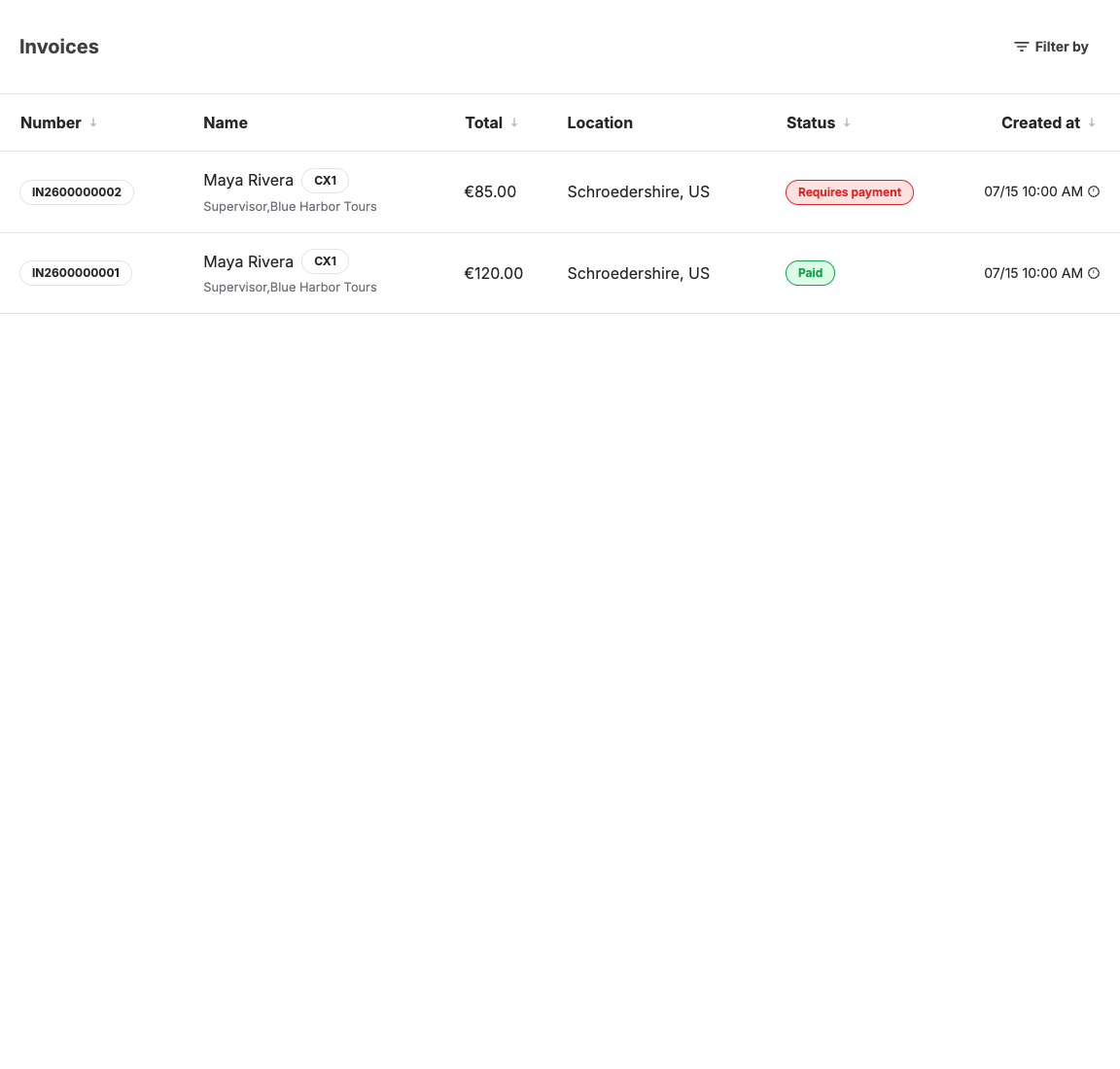
Open Sales > Documents.
Use filters for payment state, date, customer, POS, or location where available. Check Paid, Requires payment, Refunded, and Requires refund states before exporting.
Review orders and refunds
Open Sales > Orders for operational context. Check canceled, refunded, abandoned, and unpaid orders before sending totals to finance.
Use order History when a payment, cancellation, or refund date is unclear.
Export supporting data
Depending on your account setup, export:
| Data | Use it for |
|---|---|
| Report exports | Revenue, order, and event summaries for the period, exported as CSV. |
| Invoice documents | Accounting documents, invoice numbers, totals, and payment state, via Download invoice. |
| Attendee export | Event attendance support, not an accounting total by itself. |
| Customer export | Customer context for the handoff when finance needs it. |
If finance needs a format these exports do not cover, collect the report and invoice exports and ask your account owner or KORONA Event support about integration options.
Reconcile before handoff
Compare:
- KORONA Event invoice totals
- payment provider gross and net totals
- POS terminal totals
- refunds and chargebacks
- free, reduced, or voucher-paid tickets
- canceled or no-show orders
Record differences and the source used to explain them.
Expected result
Finance receives a consistent set of exports for the same reporting range, with payment states, refunds, and known differences documented.
Troubleshooting
| Problem | What to check |
|---|---|
| Totals differ from the payment provider | Date basis, provider fees, refunds, pending payments, failed payments, and chargebacks. |
| Invoice is missing customer data | Customer record, billing address, checkout fields, and whether the invoice was finalized before correction. |
| Export is missing | Permission, feature availability, account integration, date filters, and whether the data type has an export button. |
| Event report differs from invoices | Free tickets, no-shows, canceled attendees, refunds, vouchers, and event-date versus invoice-date reporting. |
