Connect KORONA.entry
Use this to connect KORONA Event to a KORONA.entry server so that sold tickets can be scanned at gates and turnstiles, and to keep the connection healthy after credential changes. KORONA Event does not scan tickets itself; scanning is done by KORONA.entry hardware.
Before you start
Confirm:
- you have the URL, username, and password of the KORONA.entry server
- you have back-office access to Admin > Integrations
- you know your KORONA Event account's time zone
Steps
- In the back office, open Admin > Integrations.
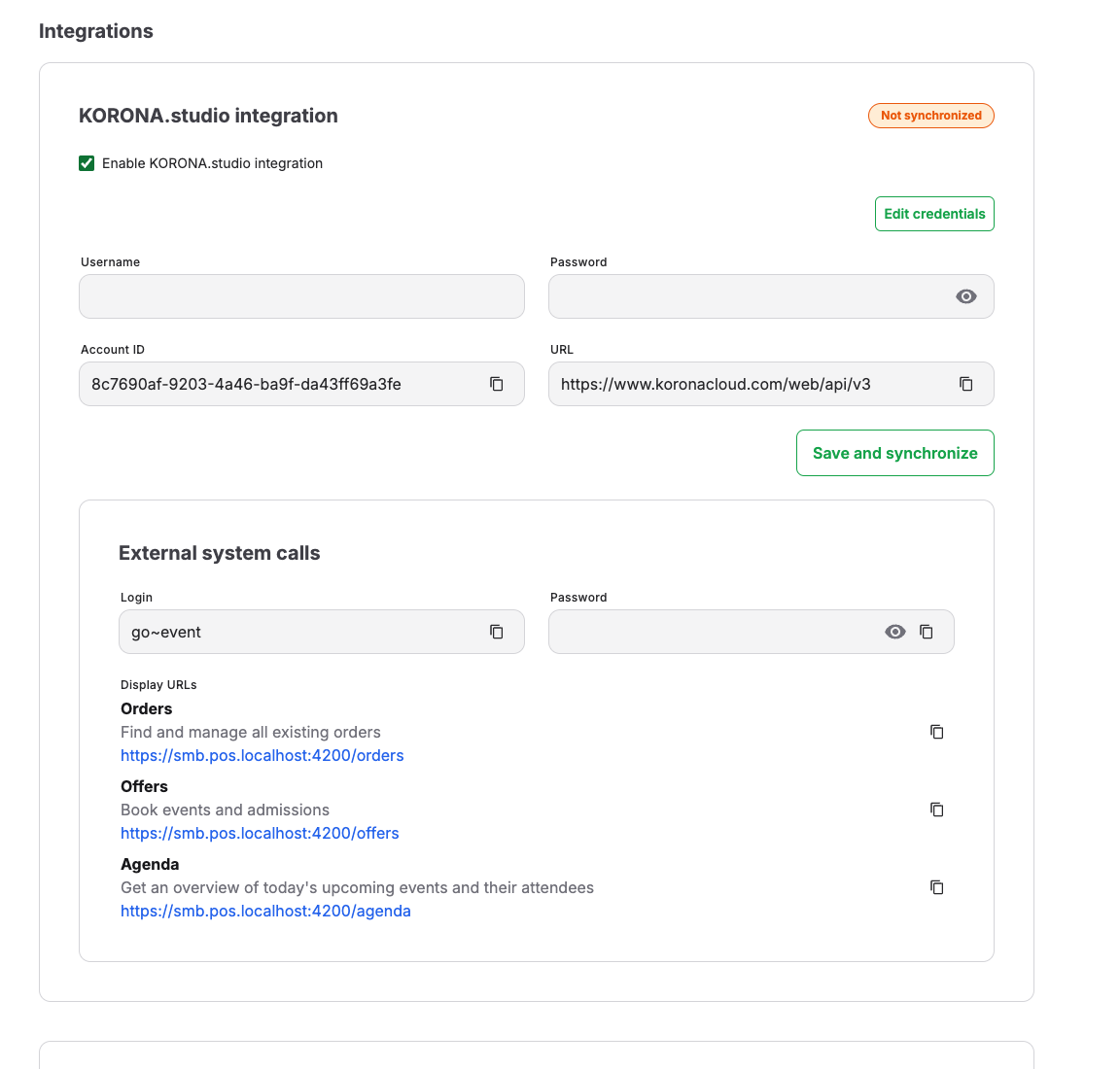
- In the KORONA.entry Integration section, enter Username, Password, and URL.
- Select Save and synchronize. The message "KORONA.entry integration synchronized successfully" confirms that KORONA Event can reach the entry server with these credentials.
- Set up entry webhooks and the event receiver in KORONA.entry so scan results flow back to KORONA Event. Follow Set up scanners and entry hardware.
How data flows between the systems
- After a ticket is sold, KORONA Event activates it in KORONA.entry so the gates recognize it. Activation happens per attendance and is retried automatically on temporary errors.
- Scan results, ticket creations, and ticket updates in KORONA.entry are sent back to KORONA Event through entry webhooks and recorded as entry events on the matching ticket, including denied scans and the reason.
- Ticket state is matched by ticket number or the external ticket ID, so the back office shows the same ticket the gate saw.
Credential changes
When the password or username is changed on the KORONA.entry server, KORONA Event requests start failing with authorization errors, ticket activations queue up, and freshly sold tickets stop reaching the gates.
- Update Username, Password, and URL in the KORONA.entry Integration section.
- Select Save and synchronize. Besides saving, this re-runs queued entry jobs and retries stored entry webhook events that previously failed or could not be matched. Pending ticket activations and delayed scan updates can then catch up.
- Sell or pick one test ticket and confirm it scans at a gate.
When you connect a different KORONA account, KORONA Event generates a new webhook username and password for that account. In Entry webhooks, select Generate entry webhook values, then create or replace the event receiver in the newly connected KORONA.entry account with those exact values. The event receiver for the previous account can no longer send events to this KORONA Event account.
Expected result
New tickets are accepted at the gates shortly after purchase, and every scan appears as an entry event on the ticket in the back office attendee detail.
Troubleshooting
| Problem | What to check |
|---|---|
| Synchronize fails with an authorization error | Username and Password match the current KORONA.entry credentials, and the URL points to the right server. |
| Fresh tickets are unknown at the gate | Check whether the last synchronization succeeded. After correcting the credentials, select Save and synchronize to release queued activations. |
| Scans do not appear in KORONA Event | Check the event receiver configuration and whether the entry webhooks show a recent received event. After correcting the connection or missing ticket data, select Synchronize to retry stored scan events. If you changed the connection settings, select Save and synchronize instead. |
| Valid tickets rejected near midnight or date edges | The KORONA.entry server time zone matches your account time zone. |
