Pause online sales during operational downtime
Use this when weather, staffing, maintenance, payment incidents, or integration problems require a temporary stop to new online orders.
Choose the safest pause
| Method | Use it when |
|---|---|
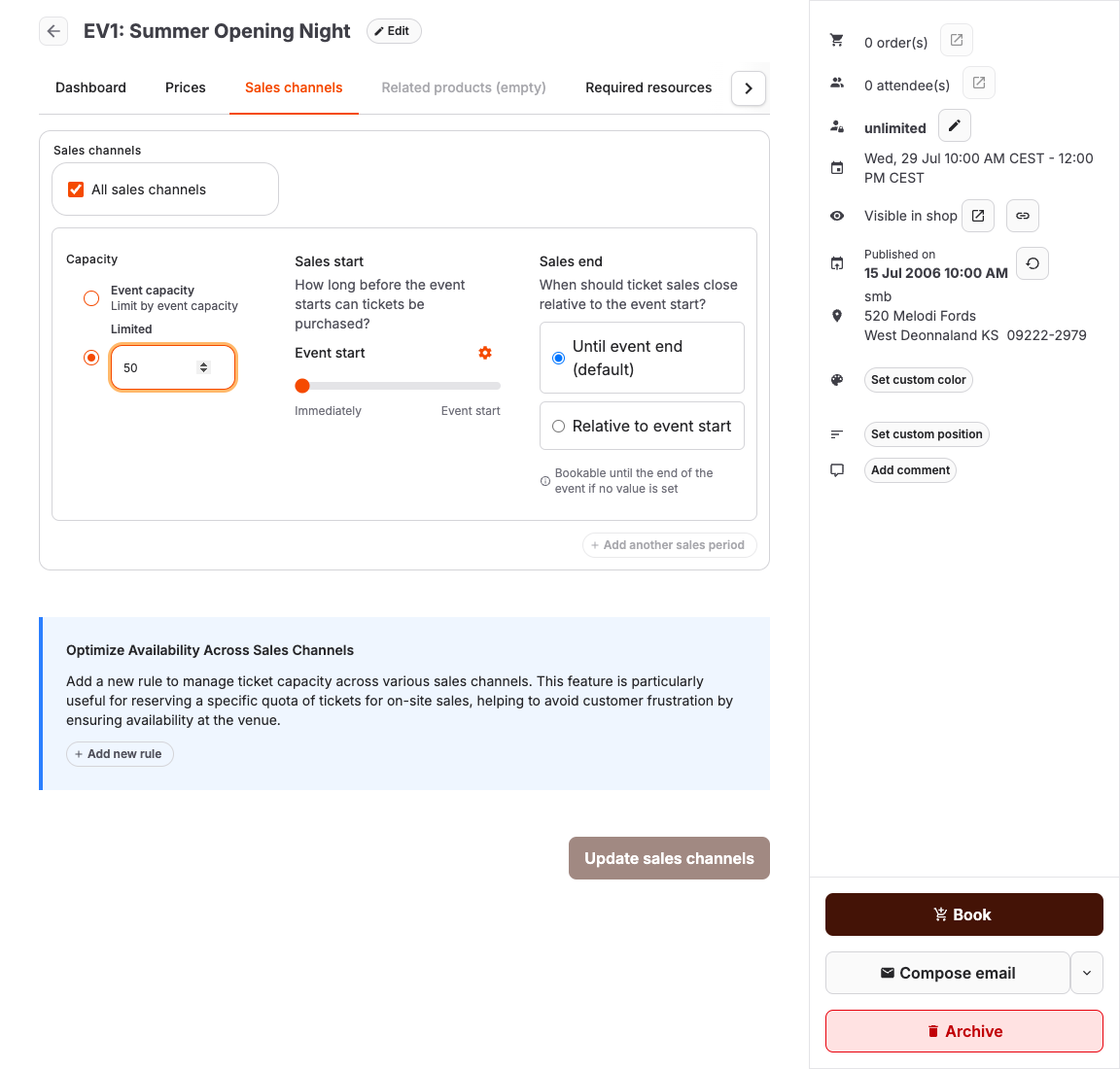
| Remove Online shop from Sales channels | Online sales should stop but POS or back-office sales may continue. |
| Set Sales end to now | Sales should stop for a time-bound event or channel rule. |
| Hide the offer from shop | The offer should disappear from lists, but direct-link behavior must still be checked. |
| Revert publishing | All online discovery and booking should stop reversibly. |
| Close future time slots | Time-slot offers need specific dates removed or blocked. |
| Block a required resource | Availability depends on an unavailable room, person, vehicle, or item. |
| Set capacity to zero only with care | Use only when operationally approved because it changes availability calculations. |
Steps
- Open the affected offer in Services.
- Open Sales channels.
- Remove or end the Online shop rule, or set a sales end time.
- If all customer visibility must stop, use Revert publishing instead of only hiding the offer.
- If the offer is slot-based, close only the affected dates. When downtime is caused by a required resource, create an Unavailable entry for that resource; another matching resource may keep the slot sellable.
- Save the change.
- Open the online shop and confirm the offer cannot be purchased.
- Tell support and front desk staff what message to give customers.
Expected result
Customers cannot create new online orders for the paused offer, while existing orders remain available for staff review.
Troubleshooting
| Problem | What to check |
|---|---|
| Customers can still buy | Open carts, direct links, multiple shop pages, active sales channel rules, and cached browser sessions. |
| POS also stopped selling | You removed all sales channels instead of only Online shop. |
| Existing orders disappeared | Check filters and order state; pausing sales should not delete orders. |
| Slot remains visible | Time pattern, excluded start times, resource availability, and shop calendar configuration. |
