Launch a branded shop with tracking
- Availability
- Beta
- Last verified
- Last verified Aug 18, 2026
Use this workflow when marketing or a developer needs the online shop to match the brand and report conversions.
Before you start
Prepare:
- logo, favicon, colors, and fonts
- shop domain and DNS owner
- terms, privacy policy, imprint, and withdrawal information
- analytics or consent manager IDs
- a test event and test checkout
- one person responsible for legal approval
Configure branding
Open Shops, select the shop, then open Branding.
Review Show flags in the language switcher, primary color, accent color, Logo, Favicon, and fonts.
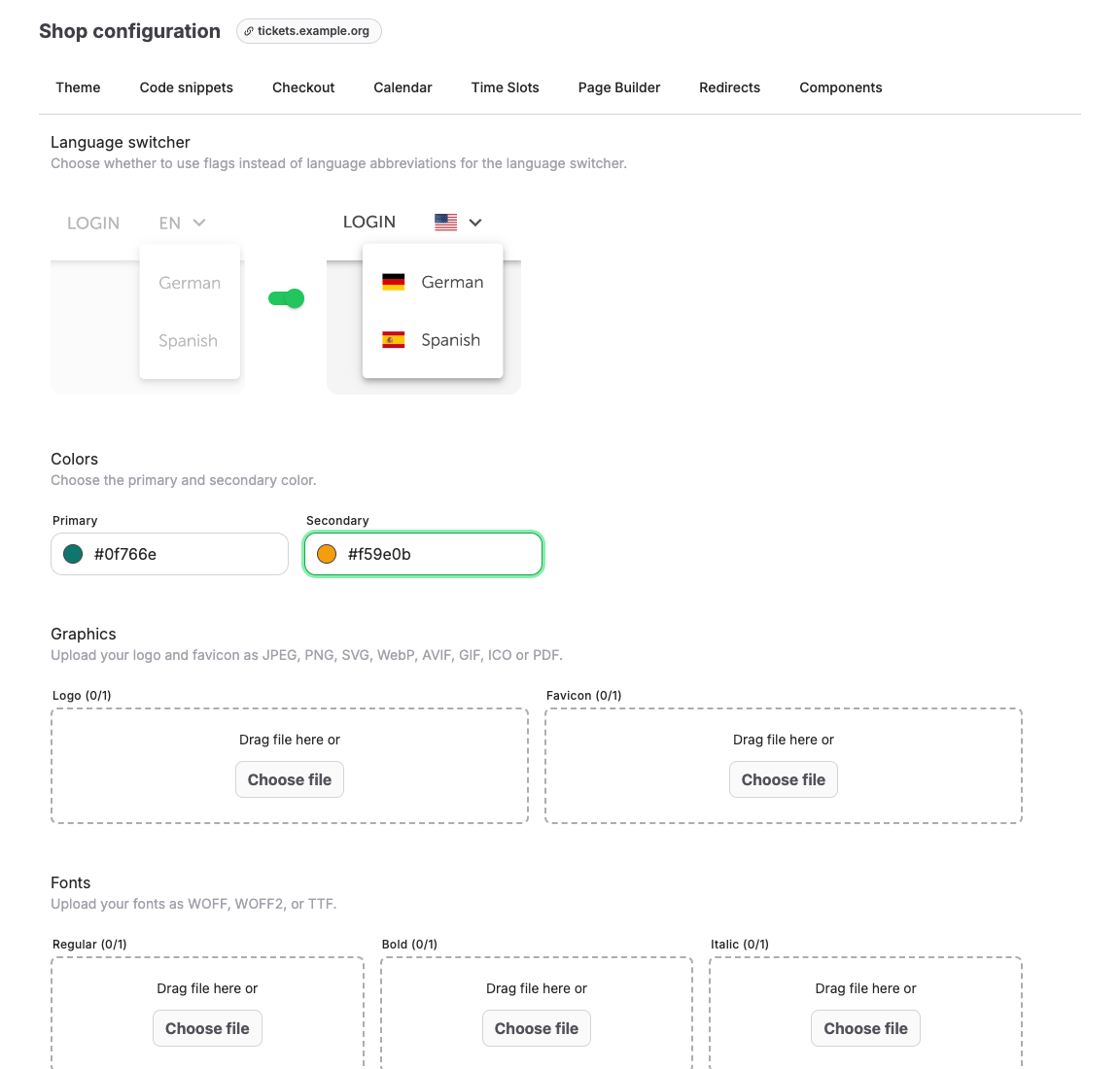
Save branding changes and preview the shop on desktop and mobile.
Check the shop domain
Open Shops and review the Domain name column.
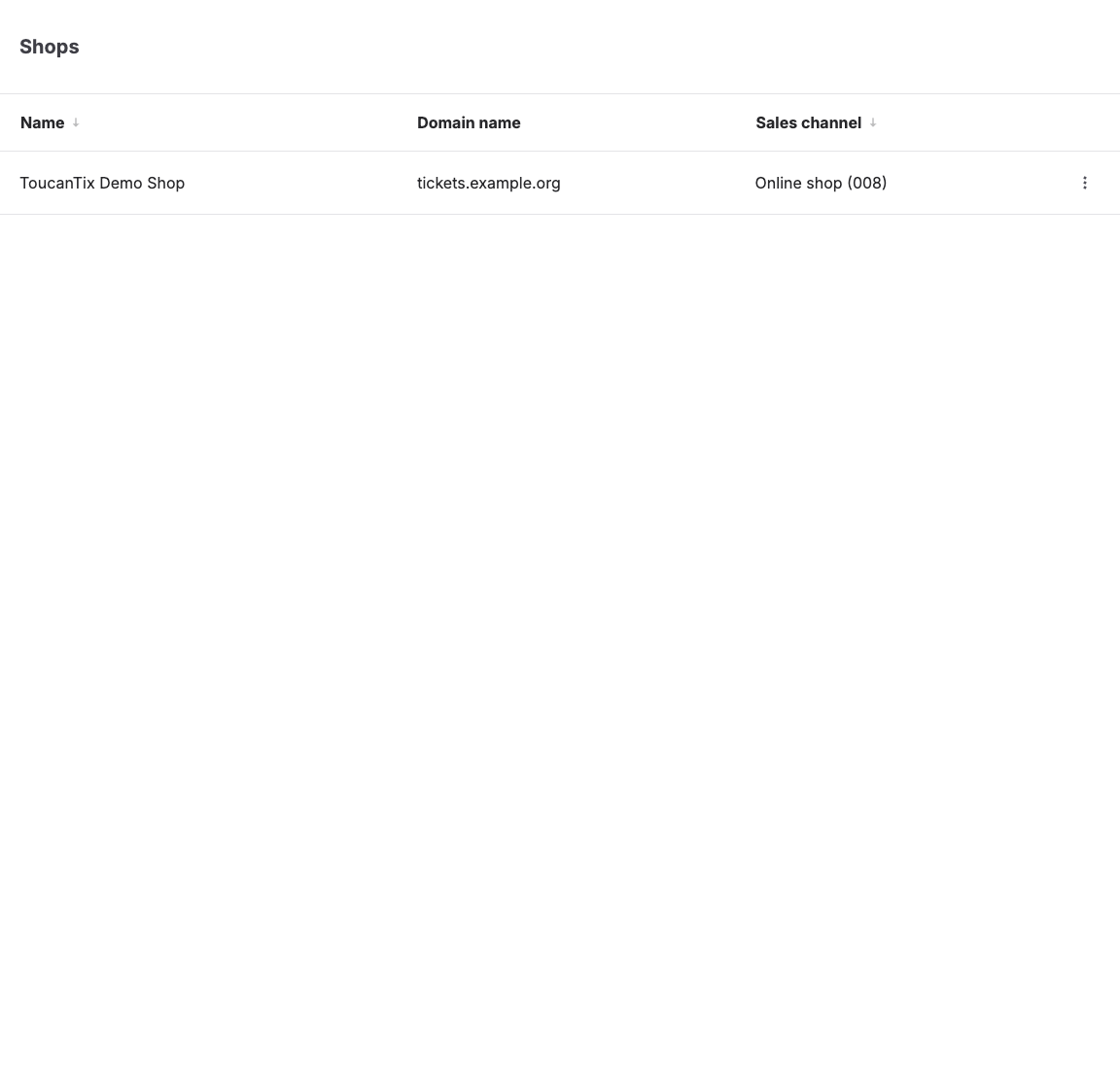
Custom domains may require DNS setup and provider verification outside the KORONA Event form. Coordinate with the DNS owner and support before launch. Do not announce the new URL until the domain, HTTPS, wallet payments, and redirects are verified.
Add tracking and consent snippets
Open Checkout for the shop and set Analytics > Mode to Consent-managed when approved ecommerce events should reach an external data layer after consent. The default Privacy-preserving mode sends no KORONA Event ecommerce events to the tag manager.
Then open Code snippets.
Use Custom HTML and JavaScript snippets for consent managers, analytics, trusted-shop badges, or tag-manager containers. Use Custom CSS snippets only for approved visual adjustments.
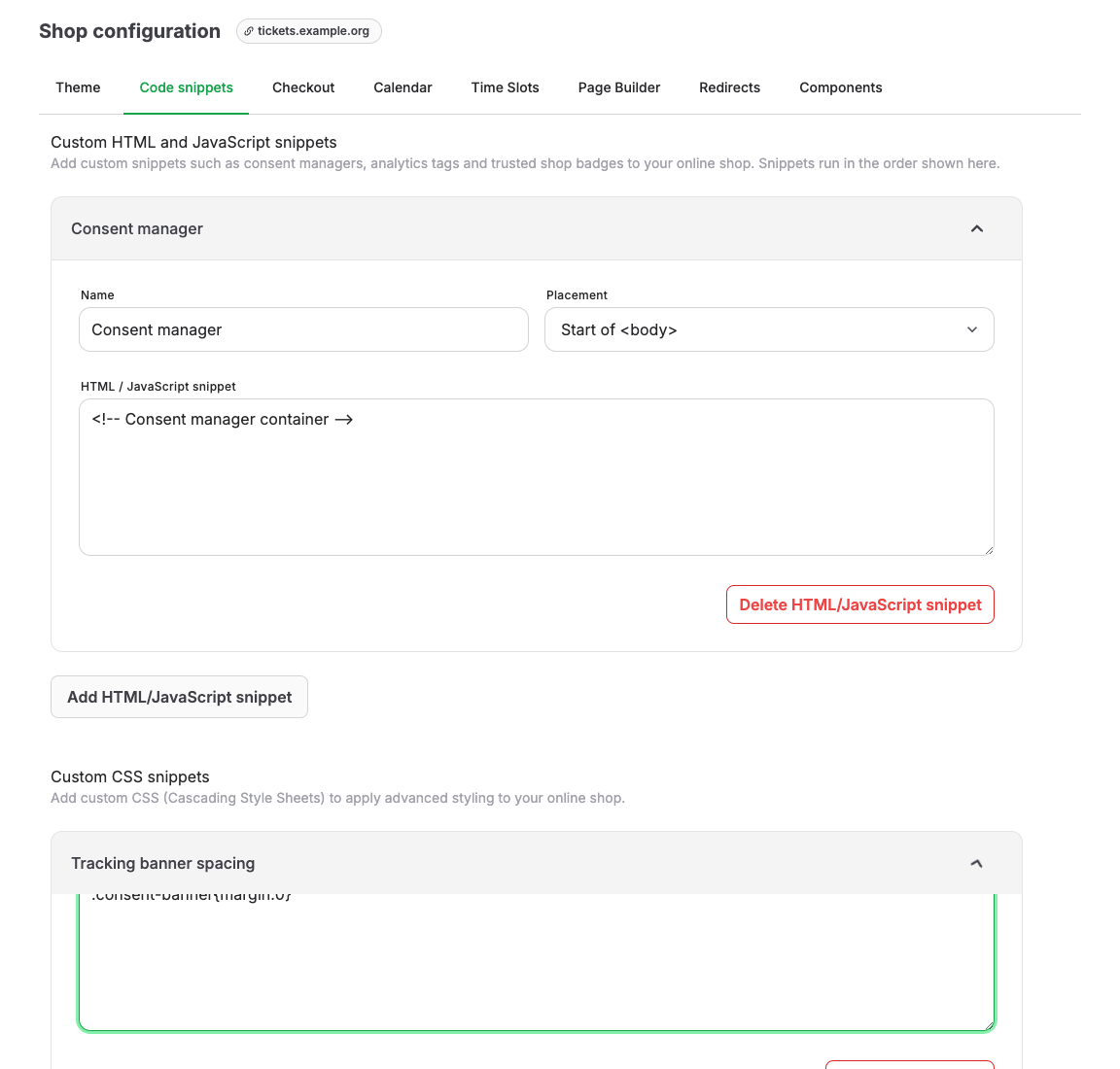
Follow Configure external analytics and consent for the supported consent bridge, provider-neutral purchase contract, Google worked example, campaign attribution, and test sequence.
Test conversion tracking
- Open the online shop in a clean browser session.
- Accept or reject consent according to the test case.
- Add a ticket to the cart.
- Complete checkout with the test payment method.
- Confirm that the order appears as paid in the back office.
- Check the analytics or tag manager debug view.
- Repeat on mobile.
Expected result
The shop uses the approved brand, the intended domain works over HTTPS, legal links are visible, checkout completes, and the analytics or consent setup records only the approved events.
Troubleshooting
| Problem | What to check |
|---|---|
| Domain does not open | DNS records, assigned shop, HTTPS certificate, redirects, and support-managed verification. |
| Wallet payment fails after domain change | Payment provider domain verification and Apple Pay or wallet-domain setup. |
| Tracking does not fire | Consent-managed mode, whether consent was restored before purchase, snippet position, GTM trigger, and browser privacy tools. |
| Shop layout breaks | Custom CSS, custom HTML, theme settings, and unsupported selectors. |
